
Nexus vs SignalRGB: RGB and Fan Control Compared
Published 2026-10-21, last verified 2026-10-22
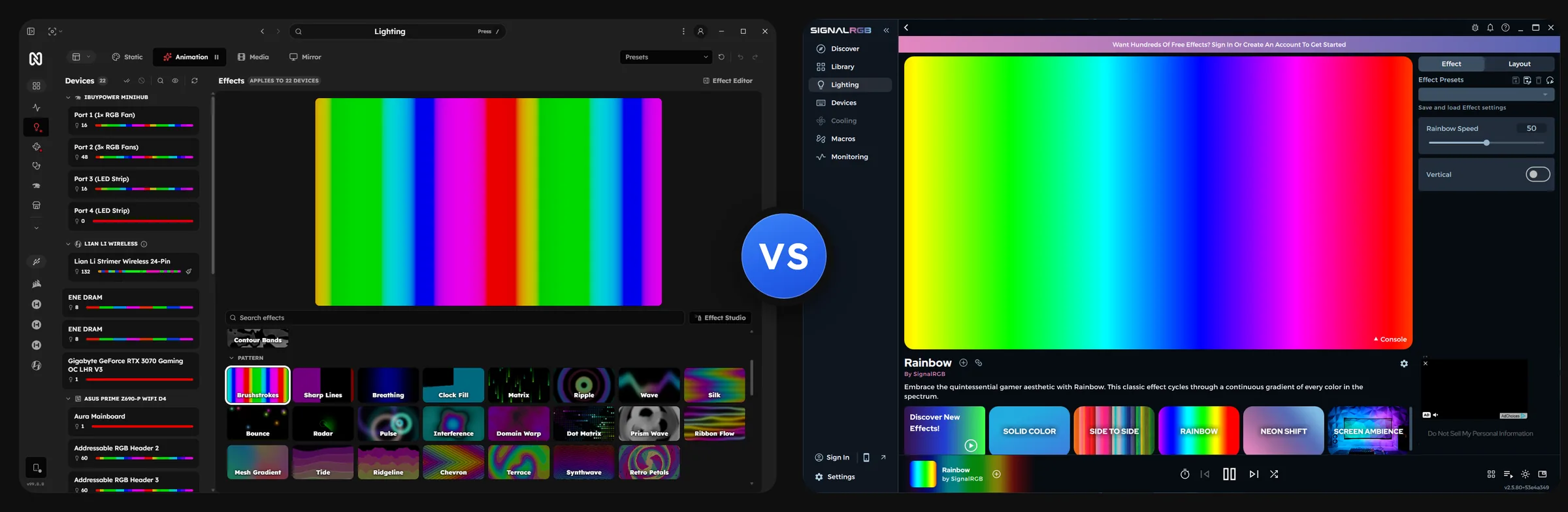
SignalRGB is a Windows app built around RGB lighting from many brands, with fan control and system monitoring as well. Nexus is one free app for lighting, cooling, monitoring and device screens on Windows, macOS and Linux.
At a glance
| Nexus | SignalRGB | |
|---|---|---|
| Price | Free. No ads, no paid tier | Free with ads. Pro is $5.99/month, $29.99/6 months or $44.99/year (US, as of 2026-10-21) |
| Fan curves | Custom curves, calibration, CPU thermal guard | Five presets free. Custom curves are Pro |
| Screens | AIO LCDs, fan displays, touchscreens, with widgets | LCD themes are Pro |
| Phone remote | iOS, Android and browser | Browser only, Pro |
| Monitoring | History, SMART, diagnostics | One basic view free. The rest is Pro |
| Platforms | Windows, macOS, Linux | Windows only |
| Source | AGPL-3.0, build your own | Proprietary |
Everything is free
No paid tier, no ads, no locked features. Custom fan curves, monitoring history, screen editing, the phone remote and Effect Studio are all in the download. An account is optional; Marketplace downloads need one.
SignalRGB's free tier shows ads. Pro adds custom fan curves, customizable monitoring, LCD themes, the Local API, game integrations and ad removal.
Lian Li and Corsair fans
Lian Li, including wireless fans. With the L-Wireless dongle, Nexus controls wireless UNI FAN SL V3 and TL fans, SL-INF fans, the LCD Flex fans with their screens, Strimer Wireless and HydroShift II. The dongle works on Windows and Linux. Wired hubs cover UNI FAN SL, SL-Infinity and TL, plus Galahad II.
Corsair. The iCUE LINK System Hub works with QX, LX and RX fans, H-series and TITAN AIOs, XD5 and XD6 pumps and the LCD pump caps. You get per-LED lighting, fan and pump curves, and images or GIFs on the LCD.
One app for every brand
The same lighting, cooling and screen controls for every brand, and no vendor app per product. The supported list has about 2,080 device rows: over 100 native drivers, the rest through a bundled OpenRGB fork.
Screens and widgets
One widget editor covers AIO LCDs, Lian Li LCD fans, HYTE Q-series AIOs and Y70 Touch cases, Stream Deck, any extra display such as the Corsair Xeneon Edge, and your phone. Widgets include Monitoring, Media, Clock, Weather, Cooling, Lighting, Volume Mixer, Gallery (photos, GIFs, videos), Web View, OBS, Twitch Chat and Home Assistant, and the Marketplace adds more.
60 rows in the supported-devices list carry a screen: 43 cooler, fan and case displays and 17 Stream Deck and keyboard models, including the Galleon K100 SD, counted from the service's device catalog. SignalRGB's device list tags 13 entries as "lcd", and some LCD AIOs, such as the Gigabyte Aorus Waterforce X I and II, are listed as "LCD can't be controlled". The units differ, so read the two numbers as a rough scale. Streaming widgets to USB displays runs on Windows and macOS.
Phone remote
Native iOS and Android apps, or any browser. Choose Pair remote and scan the QR code. Away from home the phone connects through the end-to-end encrypted Cloud relay. SignalRGB's Mobile Remote is browser-only and Pro.
Monitoring and fan control
One-second sensor history for 7 days, temperature history for 90 days, drive SMART health, Diagnostics for pump and fan stalls and GPU throttling, a Benchmark, and per-game FPS on Windows.
Fans and pumps get multi-point curves, manual speeds and Calibrate. The CPU thermal guard raises fan speeds near the CPU's limit whatever your curves say. AMD GPU fans work too.
SignalRGB's free tier has five fan presets and a basic monitoring view. Customizable widgets, a 24-hour lookback and custom curves are Pro.
Performance
We measured Nexus 3.1.5 and SignalRGB 2.5.80 (free tier, no account) on two PCs. Nexus ran at its defaults, with monitoring, diagnostics and cooling running alongside lighting, except in two Intel PC scenarios noted below.
| AMD PC | Intel PC | |
|---|---|---|
| CPU | Ryzen 7 9800X3D | Core i7-12700KF |
| GPU | GeForce RTX 5080 | GeForce RTX 3070 |
| Memory | 32 GB DDR5 | 16 GB |
| OS | Windows 11 | Windows 11 |
On the Intel PC both apps drove the same 7 devices (the motherboard and 3 lighting headers, the RTX 3070 and 2 RAM sticks), about 200 LEDs (198 in Nexus, 202 in SignalRGB). On the AMD PC both drove the same mouse, motherboard and keyboard, 283 LEDs in Nexus, and Nexus also drove the RTX 5080 (3 LEDs), which SignalRGB did not detect.
Memory. Nexus used less memory in every scenario on both PCs.
CPU. Nexus used less CPU in every scenario on the AMD PC. On the Intel PC it used less with a static color, with the window open and with screen reactive, and more with the rainbow window closed.
Power. On the Intel PC the whole CPU drew less power with Nexus in every scenario.
Startup. Nexus was ready 2 to 14 times sooner.
Size. The Nexus installer is 46 MB, against 323 MB for SignalRGB, and Nexus uses the native web runtime that ships with Windows 11.
How we tested.
- Both apps came from their official installers: Nexus 3.1.5 and SignalRGB 2.5.80 (free tier, no account), at default settings.
- Nexus ran with monitoring, diagnostics and cooling on, except in the Intel PC rainbow window closed and screen reactive runs, where they were off.
- One app ran at a time, with a no-app baseline run.
- Same devices in both apps: matched device by device on the Intel PC (about 200 LEDs), and the same devices on the AMD PC apart from the RTX 5080, which SignalRGB did not detect.
- The same effect in both apps for each scenario: static color, rainbow and screen reactive.
- Each scenario ran with the window closed, and the rainbow also with the Lighting page open. Screenshots at the start and end of each run checked the window state.
- Each run had a 2 minute warmup, then 5 minutes sampled once per second.
- Every process of each app was counted, including all helper processes.
- We measured CPU, memory, GPU, GPU memory and, on the Intel PC, CPU package power.
- The AMD PC ran each scenario 3 times, interleaved between the apps. The Intel PC ran static color and window open once, and rainbow window closed and screen reactive twice.
- Startup ran from launch until the window was ready to use, warm and cold: after a reboot on the Intel PC, with the file cache cleared on the AMD PC.
- Sizes are the downloaded installer and the install folder.
Platforms
Windows, macOS on Apple Silicon and Linux, self-updating on all three. On Linux you use the dashboard in your browser, and the desktop overlay is Windows only. SignalRGB supports Windows 10 (1903+) and Windows 11.
Open source
The main app is open source, so anyone can build their own fully offline copy with full device control. The service, dashboard, overlay and RGB engine are public under AGPL-3.0: nexus, nexus-service, nexus-web, nexus-overlay and nexus-rgb, with the OpenRGB fork under GPL-2.0.
More that is free
- Effect Studio: build lighting effects from blocks, no code, and share them in the Marketplace.
- Screen sync and audio-reactive lighting.
- Philips Hue and Govee lights.
- Home Assistant, OBS, Twitch and Discord rich presence.
- An MCP server for AI clients.
- Firmware updates for supported HYTE and iBUYPOWER hardware.
Where SignalRGB goes further
SignalRGB has more game integrations, a larger library of community effects and a developer API for writing your own.