
防毒軟體與誤判
Nexus 是安全的。如果您的防毒軟體攔截或刪除了它,那是誤判。Nexus 在底層控制風扇、燈光與感測器,防毒軟體有時會把這種行為誤認為有害。桌面應用程式是開源的,任何人都可以在 github.com/hello-nexus 閱讀程式碼。請只從 hellonexus.com/download 下載 Nexus。
處理只需一分鐘左右:
- 從防毒軟體的隔離區還原 Nexus。
- 在防毒軟體中放行 Nexus 資料夾,也就是
C:\Program Files\Nexus,然後重新執行安裝程式或啟動 Nexus。
找到您的防毒軟體
Microsoft Defender
- 如果 Windows 顯示「Windows protected your PC」,請點選 More info,再點選 Run anyway。
- 還原:開啟 Windows Security > Protection history,開啟 Nexus 的項目並選擇 Restore。如果再次被標記,請選擇 Actions > Allow on device。
- 放行資料夾:Virus & threat protection > Manage settings > Add or remove exclusions > Add an exclusion > Folder。
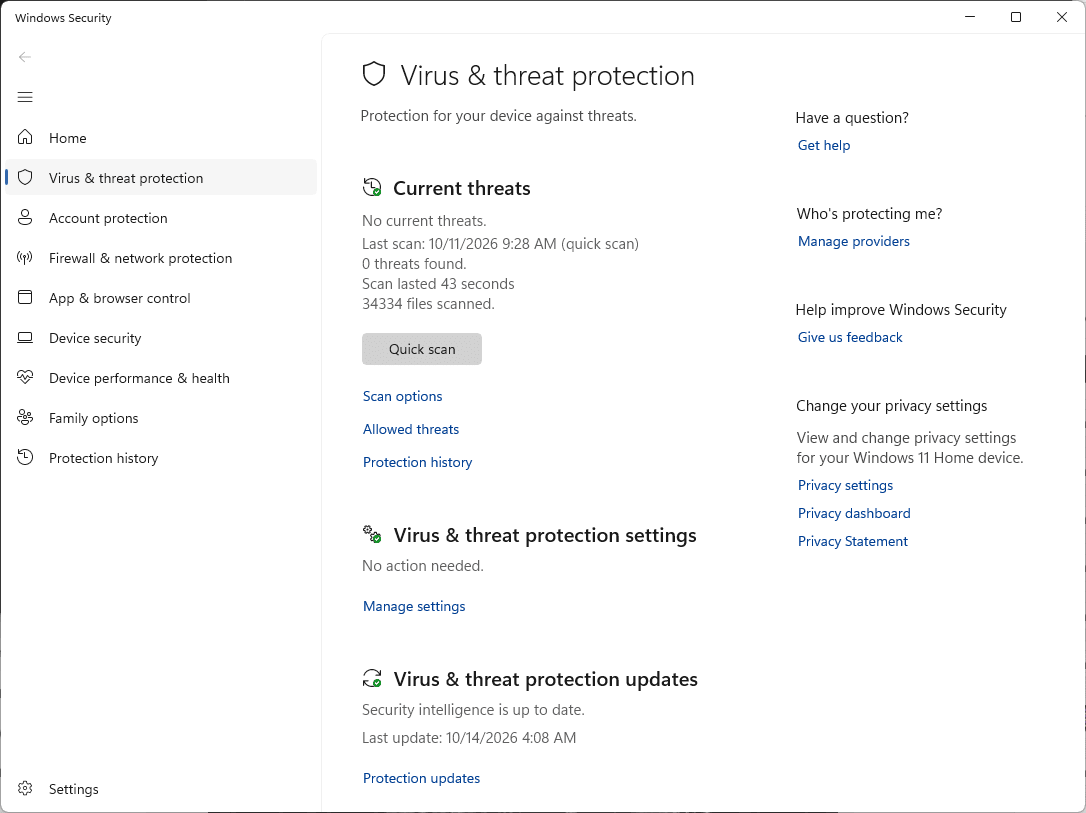
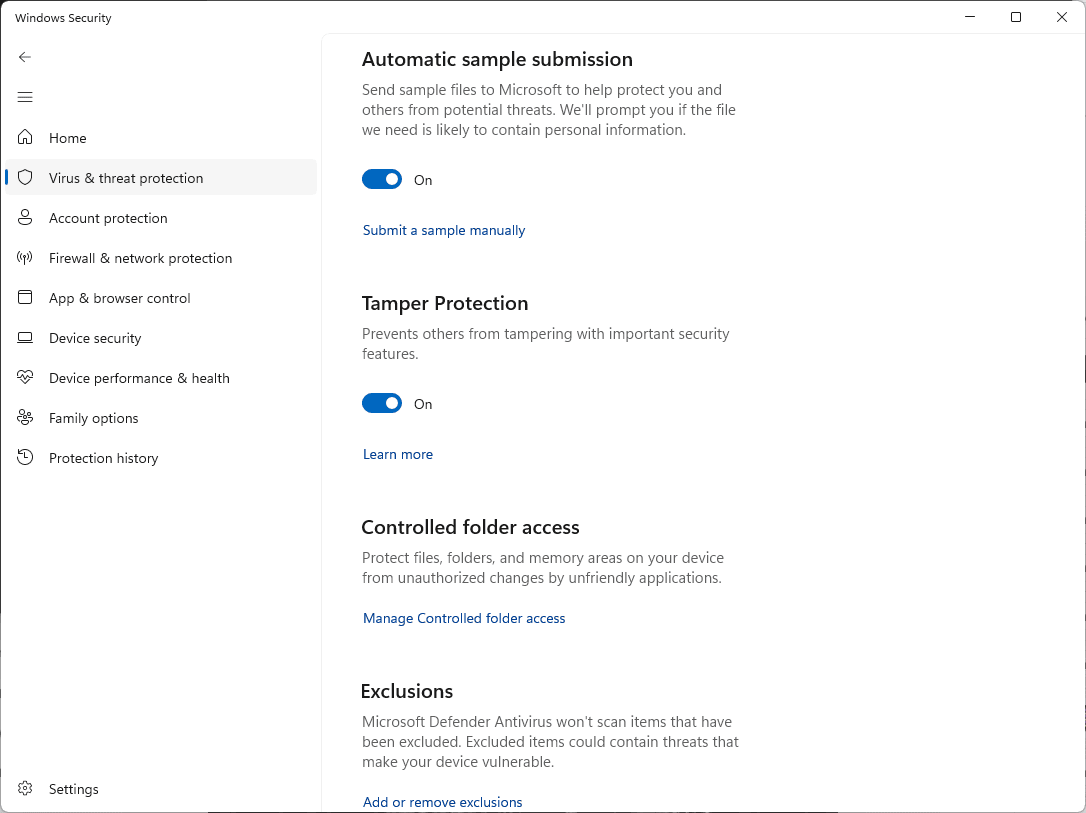
指南:排除項目、Protection history。回報:檔案提交。
Norton
- 還原:Security > Security History > 選擇 Quarantine,然後在 Nexus 項目上選擇 Create exception & restore。
- 放行資料夾:Security > Scans > Exclusions 索引標籤 > Add,然後選取 Nexus 資料夾。
McAfee
- 還原:Navigation > Quarantined and Trusted Items > Quarantined Items,選取 Nexus,然後點選 Restore。
- 放行資料夾:開啟 Excluded Files and Folders(較新版本為 Real-Time Scanning > Excluded Files),加入 Nexus 資料夾。
McAfee 的選單會因版本而異。指南:隔離區、還原、排除檔案。回報:使用 McAfee 支援網站上的誤判選項。
Avast
- 還原:Protection > Quarantine,勾選 Nexus,點選三個點,然後選擇 Restore and add exception。
- 或者放行資料夾:Menu > Settings > General > Exceptions > Add exception > File / Folder。
AVG
- 還原:Menu > Quarantine,勾選 Nexus,點選三個點,然後選擇 Restore and add exception。
- 或者放行資料夾:Menu > Settings > General > Exceptions > Add exception > File / Folder。
指南:例外項目、隔離區、Blocked & Allowed apps(用於勒索軟體、網路攝影機或瀏覽器警告)。回報:誤判表單。
Bitdefender
- 還原:Protection > Antivirus > Open > Settings > Manage quarantine。開啟 Create exception for the restored files,選取 Nexus,然後點選 Restore。
- 或者放行資料夾:Protection > Antivirus > Open > Settings > Manage Exceptions > +Add an Exception。
指南:例外項目、隔離區。回報:使用 Bitdefender 個人用戶支援網站上的誤判表單。
Kaspersky
- 還原:Security > Quarantine(右上角),選取 Nexus,然後點選 Restore。
- 放行資料夾:Settings > Security settings > Threats and exclusions > Manage exclusions > Add。
指南:排除項目、還原。選單會隨版本變動。回報:OpenTIP。
ESET
- 還原:Tools > Quarantine,對 Nexus 按右鍵,然後選擇 Restore and exclude from scanning。
- 或者放行資料夾:按 F5 > Scan > 點選 Performance Exclusions 旁的 Edit > Add。
Malwarebytes
- 還原:Detection History > Quarantined items,勾選 Nexus,勾選 Exclude this from future detections,然後點選 Restore。
- 或者放行資料夾:Detection History > Allow list > Add item。
指南:Allow list、隔離區。回報:誤判。
Trend Micro
- 放行資料夾:Settings > Exception Lists > Programs/folders > Add > Browse,選擇 Nexus 資料夾,然後點選 Apply 與 OK。
- 如果 Nexus 已被移除,請從 hellonexus.com/download 重新下載。
Avira
- 放行資料夾:齒輪圖示 > PC Protection > Real-Time Protection > Exceptions,加入
C:\Program Files\Nexus\(結尾的反斜線很重要)。 - 如果 Nexus 已被移除,請從 Avira 的 Quarantine 還原,或重新下載。
Webroot
- 開啟 Webroot,點選 PC Security 齒輪,然後選擇 Block/Allow Files > Add File。
- 在 Nexus 資料夾中選取
Nexus.exe,然後選擇 Allow。從隔離區還原的檔案會出現在同一份清單中。
指南:封鎖或允許檔案。回報:向 Webroot 提交支援單,並選擇誤判選項。
Mac
Mac 版 Nexus 已由 Apple 簽署並公證。如果 Mac 上的資安軟體標記了它,請用同樣的方式放行 Nexus.app。
仍然被標記?
請在 Discord 告訴我們您使用的防毒軟體,並透過上面的連結向防毒軟體廠商回報該檔案為誤判。